
Coaches Qualification Check Guide
We are principally interested in UK Snowsport qualifications (through Snowsport Scotland/England/Waes), and these step-by-step instructions will show you how to send us the correct proof from your Snowsport Scotland account. If you have BASI or any other qualifications, these are a bonus and you should send us these as well.
- Ideally, do this on your phone so you can access your mobile (Apple/Google) wallet.
- Go to snowsportscotland.justgo.com and log in to your account.
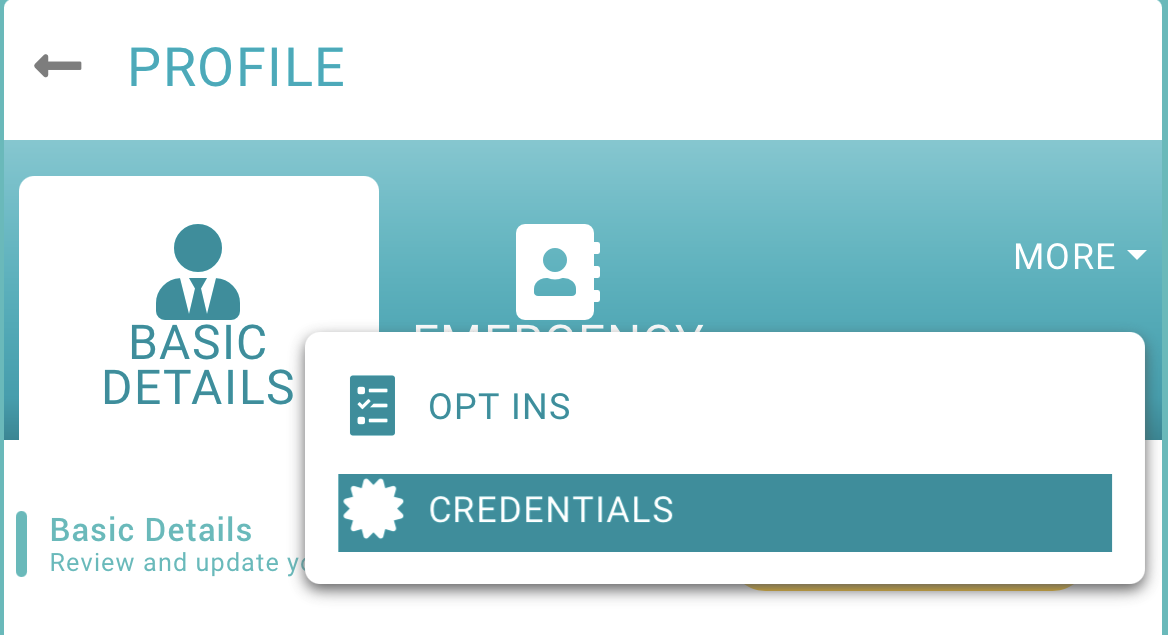
- Under the “Profile” tab, go to the “Credentials” tab (click “MORE” first on a phone).
- Find the relevant qualification – setting the “Credential Category” filter to “Qualification – Coach” should help.
- It should say “Active” – if it does not, you may not be able to work until you have resolved any issues (e.g. lapsed first aid or CPD).
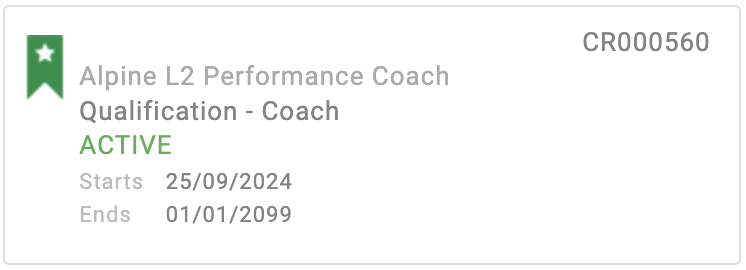
- Click on the qualification, and then click on “Add Pass”.
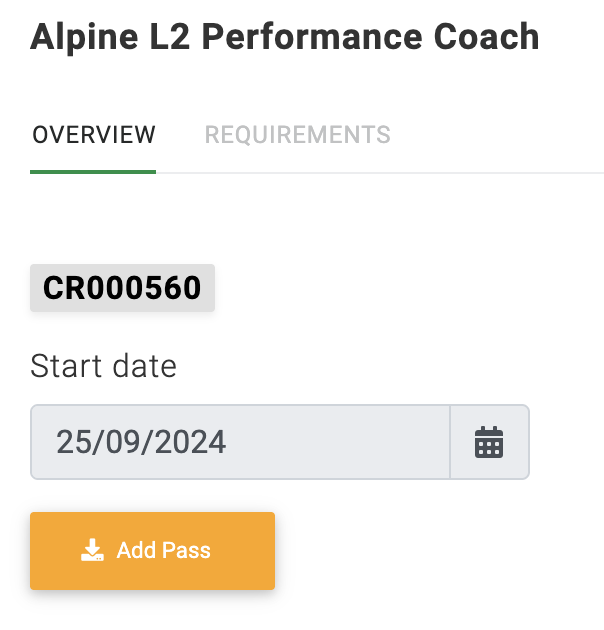
- Find the pass in your wallet, and take a screenshot to send us. It must have a fully visible and readable QR code as this is what allows us to check that your qualification is actually active and therefore valid & insured.